Track 01
Block-Based Coding
Kids start with drag-and-drop coding using Microsoft MakeCode — no typing needed at first, just visual logic that makes sense right away.
- Drag-and-drop blocks
- Live preview & flash
- Step up to text later
Hands-on technology adventures where kids learn to code, create, and bring their ideas to life — using a tiny circuit board with real lights, buttons, and sensors.
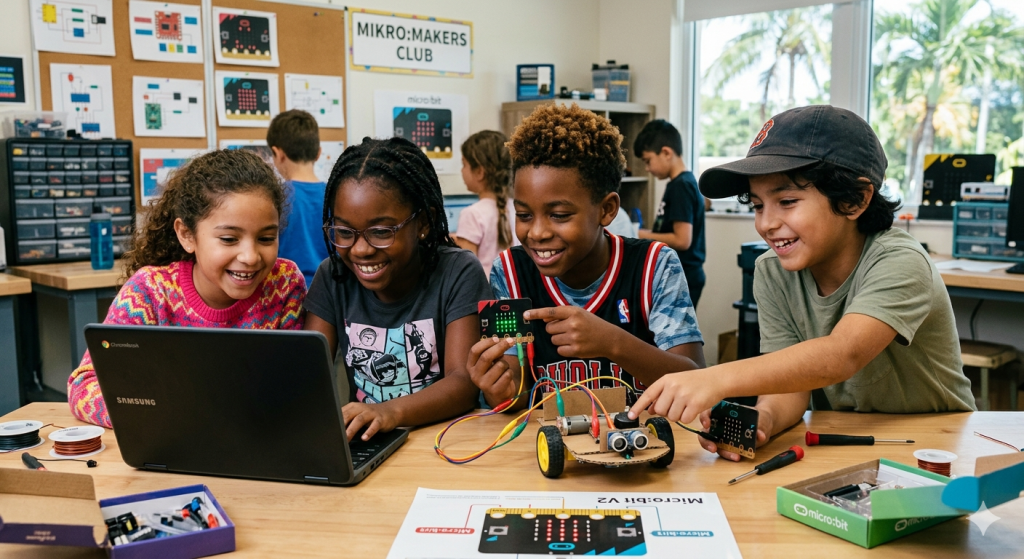
The BBC micro:bit is a programmable device packed with sensors, lights, and buttons. It was designed specifically to help kids learn coding in the most fun, hands-on way possible — no walls of text, just blink-it-yourself feedback from your own code.
Four tracks that build on each other through the term. We start with blocks and end with kids walking their parents through what they built.
Kids start with drag-and-drop coding using Microsoft MakeCode — no typing needed at first, just visual logic that makes sense right away.
Kids use built-in sensors (temperature, light, motion, compass) to build experiments that connect coding to the real world around them.
Crocodile clips, alligator wires, batteries — kids learn how circuits really work by hooking the micro:bit up to LEDs, buzzers, and motors.
Every project ends with a demo. Kids walk their crew through what they built, what broke, and what they'd do next time.
Each one is a project hook — "make it light up when…", "make it beep if…", "make it talk to your friend's board." That's the whole curriculum, really.
Real projects, take-home each Friday. We move at the kids' pace — these are the highlights from a typical six-week run.
Make the LED grid show a face — and change it when you press a button.
Shake the board, get an answer. Kids write their own answer list.
Use the accelerometer to count jumps, walks, or pogo-stick hops.
Build a working compass and follow it to a hidden classroom prize.
Two micro:bits chat over radio — send secret messages across the room.
Score points by pressing the right button at the right moment.
We keep groups tight so every kid gets real one-on-one time with an instructor — and their own micro:bit to break, fix, and rebuild.
Small groups, hands-on from day one. Start the application in two minutes.